




Overview of Ableton Live 12 Suite Benefits
Ableton Live 12 Suite is a powerful and flexible digital audio workstation (DAW) designed for music production, recording, mixing, and live performance. It is widely used by music producers, DJs, musicians, and sound designers to create, edit, and produce professional-quality music.
With Ableton Live 12 Suite, you can record audio, compose music, arrange tracks, edit MIDI, apply effects, and experiment with different sounds. Its intuitive workflow and extensive collection of instruments, sounds, and effects make it suitable for both beginners and experienced music producers.
Whether you are producing electronic music, creating beats, recording instruments, mixing tracks, or performing live, Ableton Live 12 Suite provides a complete set of tools for professional music creation.
Overview of Ableton Live 12 Suite Features
Ableton Live 12 Suite includes a comprehensive collection of tools for music production, audio recording, MIDI editing, sound design, and live performance.
Music Production
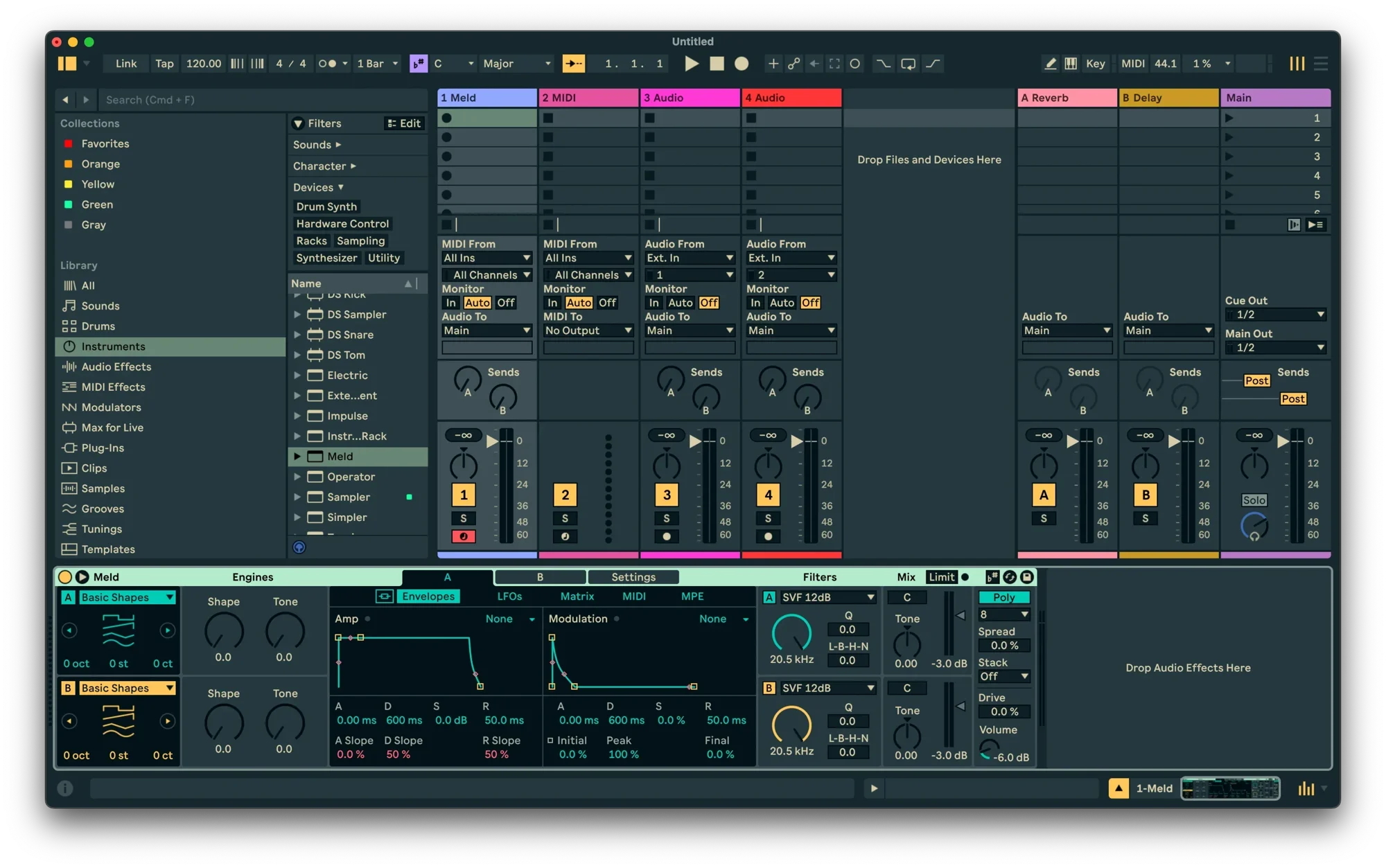
Session View
Create, launch, and experiment with musical ideas using a flexible clip-based workflow.
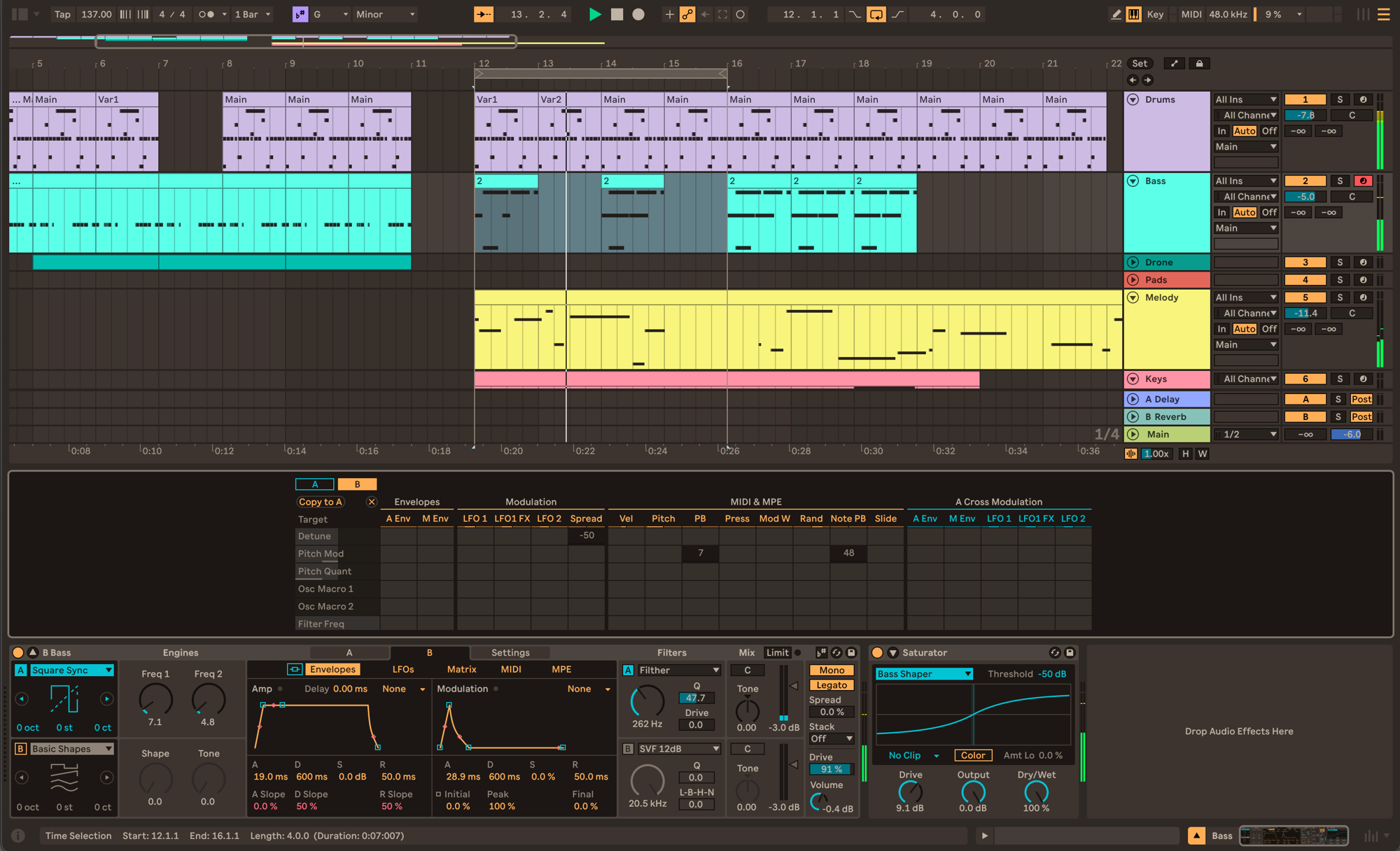
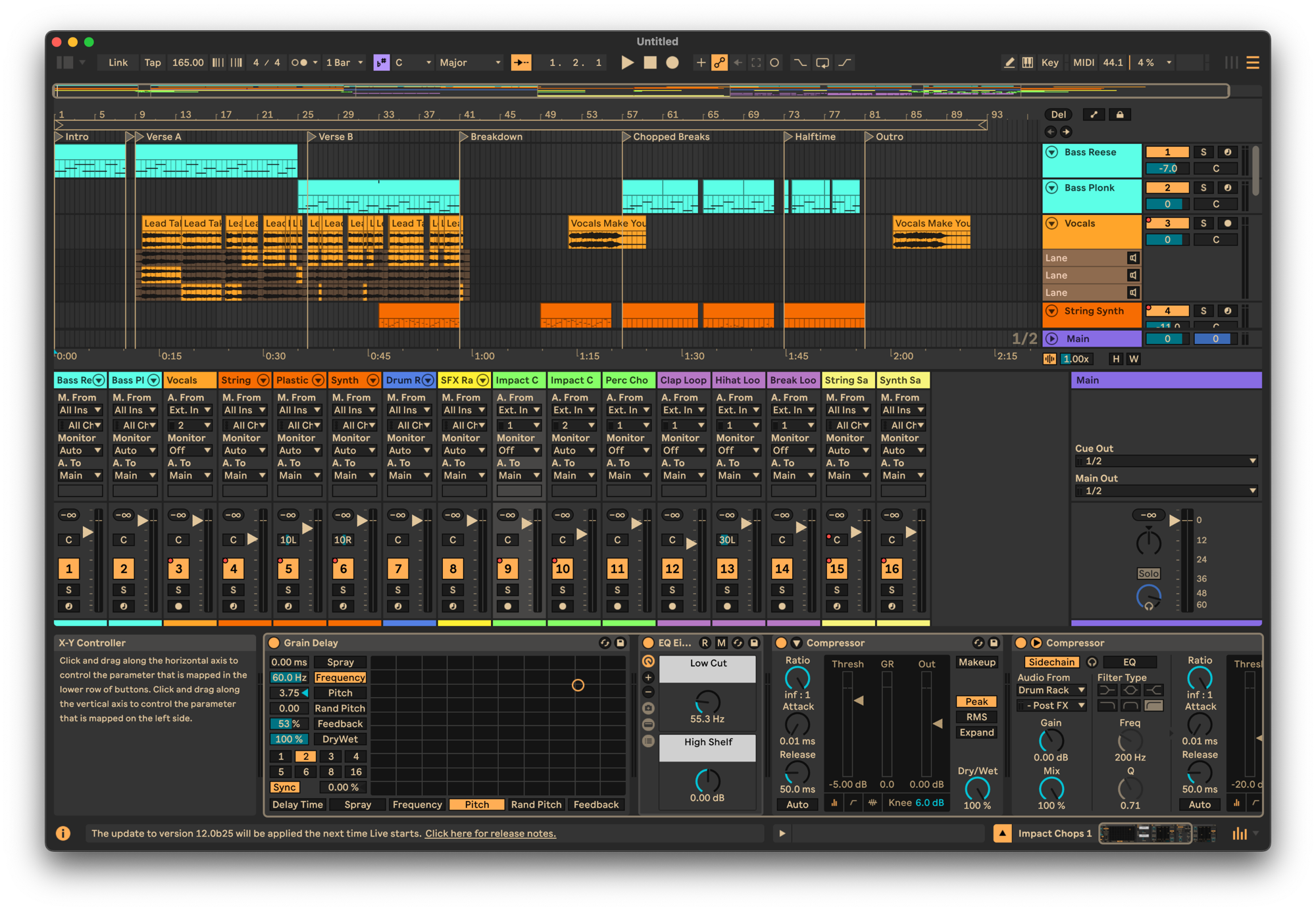
Arrangement View
Organize, edit, and arrange tracks into complete musical compositions.
Multitrack Recording
Record multiple audio and MIDI tracks within a single project.
Audio Editing
Cut, trim, edit, and arrange audio recordings with precision.
MIDI Sequencing
Create and edit MIDI patterns, melodies, rhythms, and musical arrangements.
Instruments and Sounds
Built-in Instruments
Create music using a wide selection of synthesizers, samplers, and virtual instruments.
Sound Library
Explore a collection of built-in sounds, samples, loops, and presets.
Drum Instruments
Create beats and rhythms using dedicated drum tools and sound collections.
Sound Design
Experiment with different instruments, samples, and sound-shaping tools.
Audio Effects and Mixing
Audio Effects
Enhance your tracks using a wide range of built-in audio effects.
Equalization
Adjust frequencies and balance the sound of individual tracks.
Reverb and Delay
Add depth, space, and atmosphere to your music.
Compression
Control audio dynamics and balance volume levels.
Mixing Tools
Adjust volume, panning, effects, and other track settings.
MIDI Editing and Automation
MIDI Editing
Create, modify, and arrange MIDI notes using the piano roll editor.
Automation
Control volume, effects, parameters, and other settings over time.
Advanced MIDI Tools
Edit musical patterns and work with MIDI notes using flexible editing features.
Musical Transformations
Experiment with MIDI variations and different creative possibilities.
Advanced Audio Features
Audio Warping
Adjust the timing and tempo of audio recordings while maintaining synchronization.
Time-Stretching
Change audio playback speed and duration to match your project.
Real-Time Audio Processing
Apply effects and process audio during music production and live performance.
Plugin Support
Extend your production capabilities with supported VST and AU plugins.
Live Performance and Export
Live Performance
Launch clips, control instruments, and perform music in real time.
Flexible Workflow
Switch between Session View and Arrangement View depending on your production needs.
Audio Export
Export completed music projects into supported audio formats.
Studio Production
Use a complete set of production tools for composing, recording, editing, and mixing music.
System Requirements and Technical Details
Supported OS: Windows and macOS
Processor: Multicore processor recommended
RAM: 8 GB minimum recommended
Storage: Available disk space required for installation and additional sound libraries
Audio: Compatible audio interface recommended for professional recording
Plugins: Supports compatible VST plugins on Windows and VST/AU plugins on macOS
Internet: Internet connection required for software authorization and certain online services