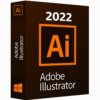





Adobe Illustrator 2022

Overview of Adobe Illustrator 2022 Benefits
Adobe Illustrator 2022 is a professional vector graphics and design software designed for creating logos, illustrations, icons, typography, posters, business graphics, and other high-quality artwork.
Illustrator 2022 gives designers precise control over shapes, lines, colors, text, and layouts. Because Illustrator works with vector graphics, your designs can be resized to any size while maintaining sharp and professional quality.
Whether you are creating a company logo, business card, social media graphic, packaging design, illustration, or professional artwork, Adobe Illustrator 2022 provides the essential tools needed for creative design.
Overview of Adobe Illustrator 2022 Features
Adobe Illustrator 2022 includes powerful tools for vector drawing, typography, illustration, and graphic design.
Drawing and Design
Pen Tool
Create precise paths, curves, and custom shapes.
Pencil Tool
Draw freehand paths and illustrations.
Shape Tools
Create rectangles, circles, polygons, stars, and other geometric shapes.
Curvature Tool
Create and edit smooth curves and paths easily.
Line Tool
Create straight lines and precise graphic elements.
Brush Tool
Create artistic strokes and hand-drawn artwork.
Blob Brush Tool
Create filled shapes using freehand brush strokes.
Vector Graphics
Vector Editing
Create artwork that can be resized without losing quality.
Pathfinder
Combine, divide, and modify shapes to create complex designs.
Shape Builder Tool
Combine and remove overlapping shapes quickly.
Anchor Points
Precisely edit and control vector paths.
Clipping Masks
Place artwork inside custom shapes and paths.
Compound Paths
Create complex shapes from multiple paths.
Color and Appearance
Color Picker
Choose and apply colors to your artwork.
Swatches
Save and manage frequently used colors.
Gradients
Create smooth color transitions and gradient effects.
Gradient Mesh
Create detailed color shading and realistic vector artwork.
Transparency
Adjust opacity and create transparent design elements.
Blending Modes
Combine colors and objects using different blending effects.
Typography
Type Tool
Add and edit text in your designs.
Character Formatting
Control fonts, sizes, spacing, and other text properties.
Paragraph Formatting
Create and format professional text layouts.
Text on a Path
Place text along curves and custom paths.
Create Outlines
Convert text into editable vector shapes.
Layout and Organization
Artboards
Create multiple design areas within a single document.
Layers
Organize artwork and design elements efficiently.
Align and Distribute
Precisely position and organize objects.
Transform Tools
Scale, rotate, reflect, shear, and move objects.
Grouping
Combine multiple objects for easier editing.
File Support
AI Files
Create and edit native Adobe Illustrator documents.
PDF Files
Open and save artwork in PDF format.
EPS Files
Work with professional vector graphics and print files.
SVG Files
Create and edit scalable graphics for websites and digital projects.
PNG Files
Export artwork as high-quality PNG images.
JPG Files
Export designs as JPEG images for digital use.
System Requirements and Technical Details
Processor: Multicore Intel processor with 64-bit support or AMD equivalent
RAM: 8 GB minimum, 16 GB recommended
Storage: 2 GB of available hard-disk space
Display: 1024 × 768 screen resolution
Graphics: GPU with DirectX 12 support recommended
Supported OS: Windows 10 64-bit version 1809 or later and Windows 11
Internet: Internet connection required for activation and certain online services